The Chinese manufacturer boasts the latest generation of its balcony power plant, the Anker Solarbank 3 Pro, even though the built-in AI fails miserably. But is such an investment even worthwhile?
Until recently, balcony power plants occupied a niche that was met with derision by energy experts. The solar panels they sold were too low in performance, and the price was too high. Typically, they didn’t come with a battery storage system to allow the self-generated electricity to be used when it was really needed. But that’s all over now. Several international manufacturers, such as Zendure, Growatt, Ecoflow, and Hoymiles, as well as the Austrian startup Eet, are outdoing each other year after year with more powerful and more or less intelligent integrated solutions.
At the forefront is the Chinese manufacturer Anker, whose brand presence and product portfolio might also suggest a US tech company. This is hardly surprising, given that founder Steven Yang, a former Google software developer, is at the forefront as CEO. Founded in 2011, Anker initially focused primarily on chargers, power banks, and other accessories for mobile devices. It wasn’t until 2023 that a storage device for balcony power stations was launched under the Solix brand line; it still had to be combined with an external inverter.
Today, just two years later, Anker has launched the third generation, the Solarbank 3 Pro. In between, there were already three second-generation versions: the 2 Pro, 2 Plus, and 2 AC. Thanks in no small part to the sales success in this new segment for Anker, the manufacturer was able to increase its revenue by 41 percent to the equivalent of three billion euros in 2024.
Power plant owner since autumn
To take advantage of the previous government’s VAT exemption, I joined the power plant owners‘ club in fall 2024. I purchased a Solix 2 Pro and two solar panels, each with a 500-watt peak (WP). This value indicates the maximum usable power per panel.
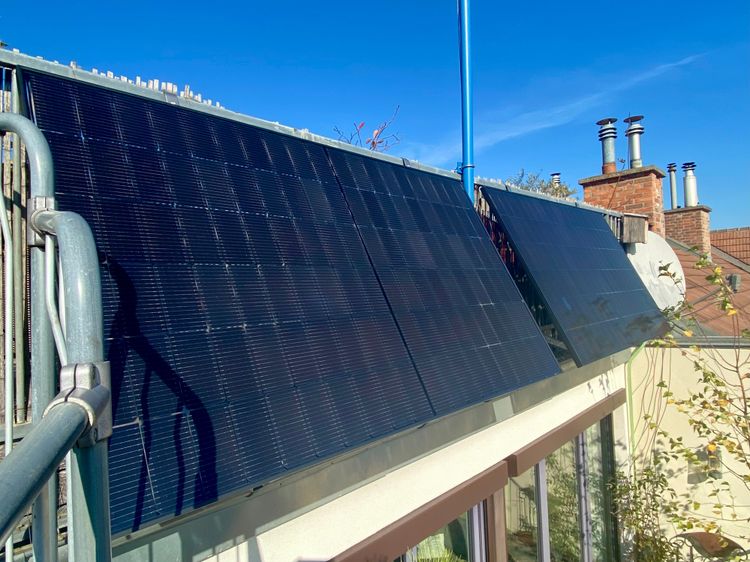
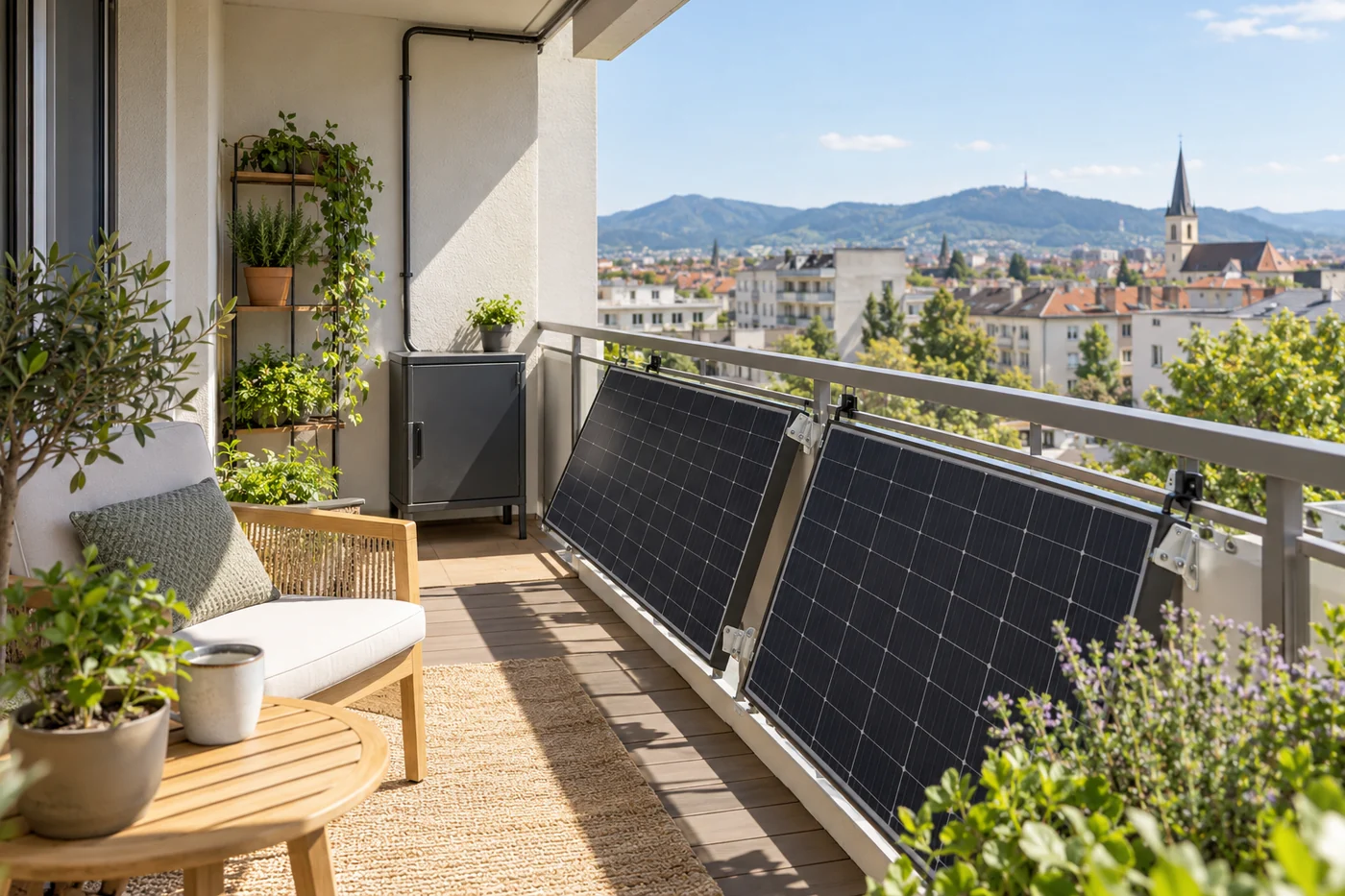
By February, I had added another 500-watt panel along with three smaller flexible panels. I installed these on balcony and terrace railings—most facing south, the rest facing west. I also purchased three additional storage units, providing a total of 6.4 kWh, and installed the Anker smart meter in the fuse box.
In total, including the setup for the Anker Solarbank 3 Pro, the investment came to approximately €3,200.
To benefit from this long-term experience when testing the new Solarbank 3 Pro, I left the setup unchanged and only replaced the Solarbank 3 and a new-generation storage unit. The fact that the new Solarbank fits on top of the old storage units and that the different storage generations can be combined is commendable. One can only hope that Anker sticks with this modular system and guarantees compatibility between the generations for several years – both hardware and software-wise. In operation, the combination worked flawlessly after a firmware update.
Significantly better energy density
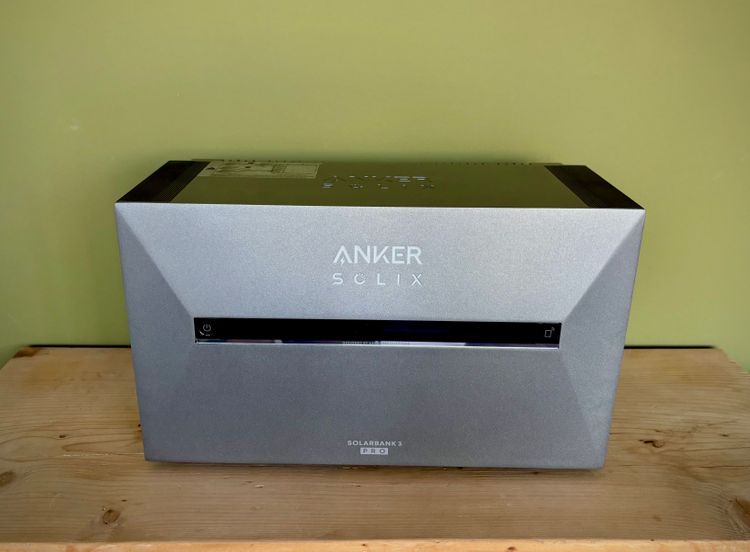
At first glance, the design is virtually unchanged from its predecessor. The solar power bank has only grown by 2.5 centimeters. But appearances can be deceiving. The 3 Pro weighs a whopping 7.4 kilograms more. With its 29 kilograms, the internal storage has also increased from 1600 to almost 2700 Wh. A further comparison demonstrates that Anker has achieved a significantly improved energy density: The box is now one-third heavier, but has two-thirds more battery capacity. The additional batteries now also hold 2700 Wh, with a similar increase in weight.
The workmanship is high-quality. The plug-and-play system, which allows up to five additional batteries to be stacked under a solar bank, fits perfectly and is self-explanatory. The dark gray aluminum casing is simple. An LED strip with a moving light band reminiscent of the Knight Rider car KITT or the visor of the Cylon Centurions and Raiders in Battlestar Galactica gives the box a touch of retro-futurism.
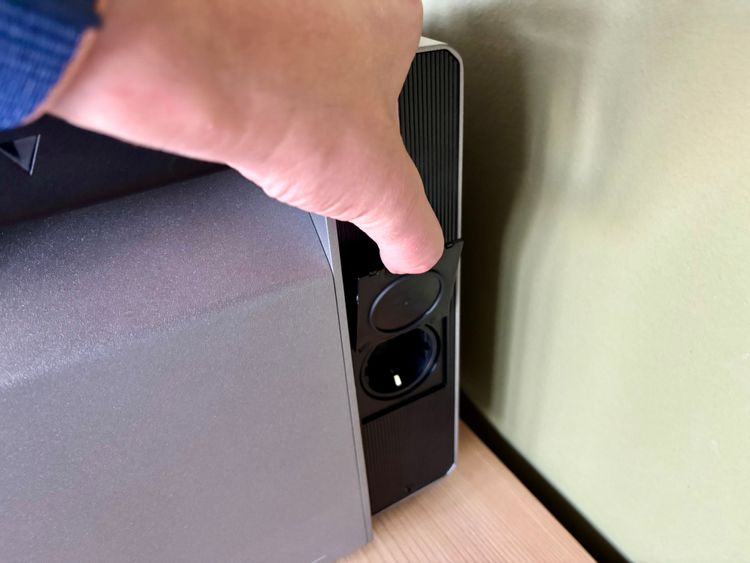
The only component that feels cheap and slightly fragile is a side flap that hides an additional power outlet. You can use this outlet for external devices with up to 1200 watts—an improvement over the 2 Pro, which supported only 1000 watts. It also continues to supply power during an outage, making the Anker Solarbank 3 Pro even more versatile.
Solar inputs and batteries
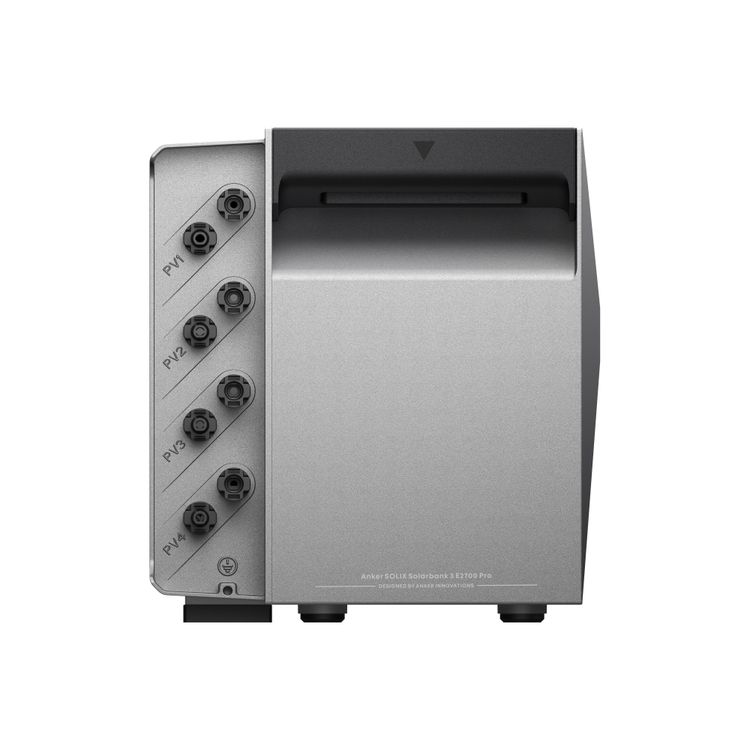
Anker has significantly upgraded the four inputs for the solar modules on the Anker Solarbank 3 Pro. Each connection now supports 900 watts instead of the previous 600 watts. To reach the maximum output of 3600 watts, you’ll likely need to connect eight 500-watt panels—an achievable setup using parallel cabling. However, in Germany (unlike Austria), such a configuration no longer qualifies as a balcony power plant. Looking ahead, Anker plans to launch a solution that transforms multiple solar banks into a full-fledged PV system, providing an excellent upgrade path. Additionally, the short-circuit current per connection has doubled from 20 A to 40 A. This increase gives users much more flexibility when connecting multiple modules to a single solar input (MPPT) and helps prevent damage from unexpected yield spikes.
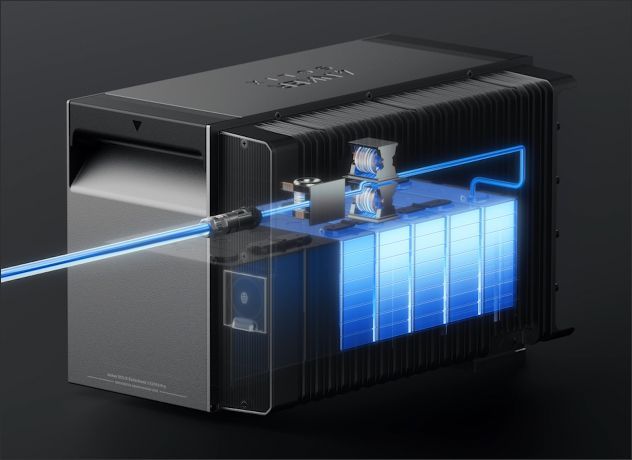
As with the previous model, LFP (lithium iron phosphate) batteries are installed, which, unlike conventional lithium-ion batteries, are significantly less likely to catch fire. They also enable higher charging capacities even at lower temperatures and promise a significantly longer lifespan with less capacity loss. This prompts Anker to promise a 15-year lifespan and a ten-year warranty, or at least 6,000 charging cycles. The maximum charging capacity via the solar inputs has increased from 2,000 watts (if you have an additional battery) to 3,600 watts.
The Solarbank 3 Pro has four connections for solar panels; several panels can also be connected in parallel to one connection.
The solar bank and additional batteries are designed for outdoor use with an IP65 rating, so even heavy rain shouldn’t bother them. To protect the components from strong sunlight, some basic shelter or at least a shady spot is recommended. I placed the solar bank tower under a well-ventilated wood and bamboo structure. During the recent heat wave, with a maximum temperature of 36 degrees Celsius, the solar bank registered 46 degrees Celsius during operation, and the batteries underneath reached 36 to 42 degrees Celsius – perfectly acceptable for such a hot day. Anker itself specifies the operating temperature as -20 to +55 degrees Celsius. A heater is built into each component for winter use.
Plug in, generate power
Setup is incredibly easy. The solar bank is simply plugged into a power outlet using a Schuko plug, and the solar panels can also be wired up. The fact that Anker no longer includes a solar cable with the 3 Pro is a bit odd for such a premium product. Since many users require significantly longer cables than the eight 3-meter cables included with the 2 Pro, the omission is a justifiable sustainability consideration. However, Anker should offer different cable options at the time of purchase and at least include the short version in the price.
You install and control the Anker Solarbank 3 Pro through the Anker app, which requires an account. In the app, you can add the solar bank and connect accessories like smart meters and smart sockets. If you’re upgrading from an older model, you’ll need to create a new energy system—even if, like in my case, you’re only replacing the „head“ of the tower. The interface looks nearly identical, which caused confusion. The app didn’t clearly warn me that the newer model couldn’t integrate with the existing energy system or preserve its collected yield data. If you don’t delete the old system, you can still view the historical data—but this workaround feels far from ideal.
App as control center
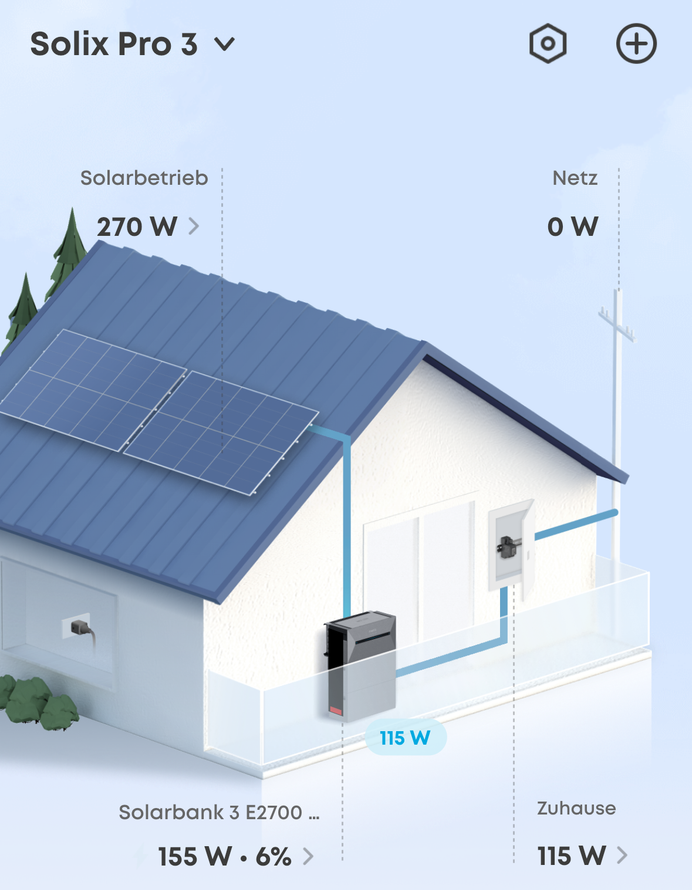
The app presents a clear and visually appealing interface. It immediately shows how much solar power the Anker Solarbank 3 Pro generates and how much energy flows into the storage unit and your home grid. It also displays the battery level at a glance. Users who install an Anker smart meter in their fuse box—or use compatible models from the manufacturer Shelly—can monitor real-time power consumption and track how much electricity their apartment or house draws from the public grid. The Anker Solarbank 3 Pro works seamlessly with these tools, offering a transparent view of your energy flow.
The display updates almost every second. Based on my long-term experience, the calculated electricity consumption from the Anker Solarbank 3 Pro closely matches the official meter readings from the grid operator. You can easily check this data online via the smart meter. In my case, the smart meter is located outside the apartment. It provides very informative insights into your personal electricity usage.
„Custom Mode“
Anker provides several modes for operation. Those without an Anker smart meter are reliant on the „Custom Mode,“ which can be programmed for each day of the week and each time window with the specific wattage output the solar bank should deliver. Managing the time periods works relatively well, although the app sometimes gets sluggish when setting multiple hourly windows.
Finding the right setting isn’t easy and depends on your baseline power consumption, the PV power generated, and the battery capacity. Especially in winter, when your own solar power is scarce, you don’t want to use unnecessary power from your solar panel, but you also don’t want to set it so low that on a nice day the battery is full and you’re needlessly drawing power from the grid. Determining the base load—in my case, around 150 watts—is a good guideline.
„Intelligent plug mode“
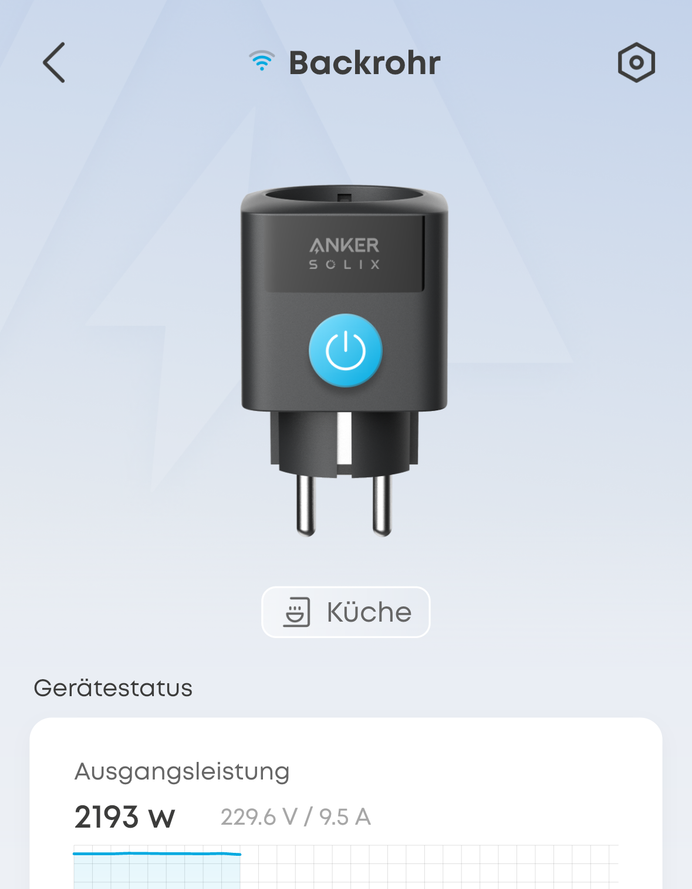
Smart plugs from Anker can make the unintelligent system a bit smarter. If they measure higher power consumption at a socket, the solar bank automatically adjusts its output – up to the maximum of 800 watts intended for balcony power stations. With the 3 Pro, the plugs can theoretically also be activated when the storage is full – for example, to charge an e-bike battery when there’s excess power.
In practice, however, the accessories leave considerable room for improvement. A maximum of five plugs are supported per system. In addition, the socket adapters quickly reach their limits at 10 A and above, which means a power consumption of over 2200 watts, for appliances like dishwashers, washing machines, and ovens, and then simply shut down. However, it would be useful to be able to utilize the full 800 watts for precisely such applications. However, if the washing machine shuts itself off mid-cycle, as some users report, the function is rendered absurd.
„Own consumption“
The „Self-Consumption“ mode, already familiar from the 2 Pro, remains unchanged. For this, the additional smart meter must be installed in the fuse box. This adjusts the feed-in to actual consumption every second and also regulates solar generation if, for example, the storage system is already full and you don’t want to send excess power to the grid. The 0-watt feed-in control is also available for the previous version and highly recommended. In summer, the storage system is often full by midday, and if the inverter doesn’t have to process 800 watts for hours, it protects the hardware and the public power grid.
Anyone investing in the not-so-cheap Solix system should consider the additional cost of hiring a qualified electrician to install the smart meter. This mode is definitely the most fun and also makes optimal use of the system without having to constantly adjust manual settings for optimization.
„Smart Mode“
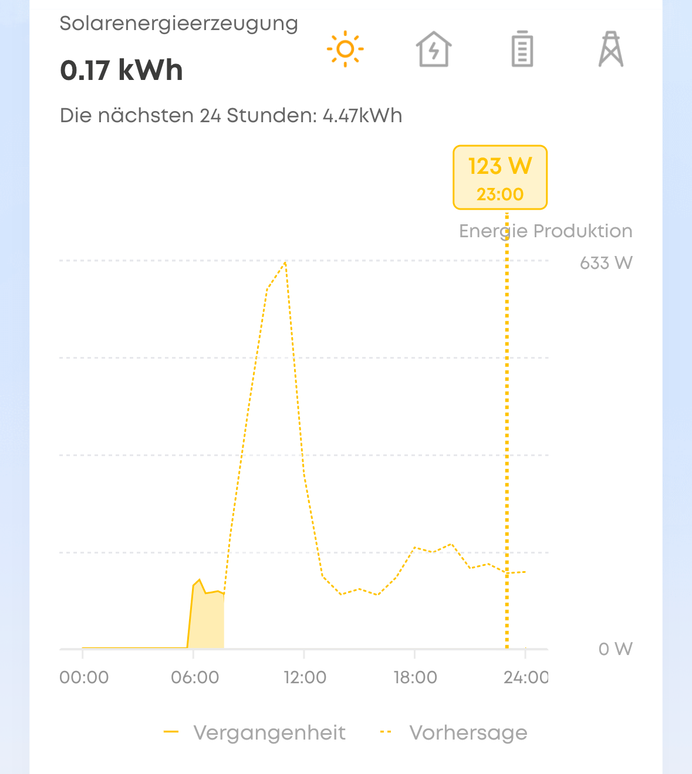
With the Anker Solarbank 3 Pro, Anker now joins the AI trend. For the first time, it offers a mode that intelligently accounts for future power consumption, predicted PV generation based on weather forecasts, and electricity price fluctuations—if you use an hourly rate plan.
Unlike its predecessor, the 3 Pro can also charge its battery from the power grid. In theory, this allows the system to recharge during cheaper hours and avoid drawing power when prices are high. So far, so good.
Unfortunately, this proves true in practice: just because a manufacturer labels a feature as „smart“ or „intelligent“ doesn’t mean it truly is—often, it’s quite the opposite. The Anker Solarbank 3 Pro required only 24 hours of training before the AI mode was ready for use.
The next day, the algorithm began producing unrealistic hourly forecasts of expected power generation. As a result, the solar bank started drawing power from the grid late in the evening and continued doing so throughout the night—even though the battery was almost full.
How the AI algorithm calculates the predicted generation remains a mystery, as do some other AI actions.
Thanks to abundant sunshine, the Anker Solarbank 3 Pro storage units were fully charged again by noon the next day—8.4 kWh in total, with a daily consumption of no more than 5 kWh. The AI, however, didn’t seem impressed. The same thing happened in the following days, even after I deactivated the 0-watt surplus limitation. The panels continued to supply at least 800 watts throughout the day, despite the full storage.
The AI still confidently calculated how many cents the new mode had supposedly saved me. In reality, though, it caused unnecessary extra costs. This kind of overconfidence is unfortunately common in other AI systems too—ChatGPT included.
To Anker’s credit, this mode is still new. The app labels it as experimental and actively invites user feedback. It’s also marked as “free” for now, which is appreciated. Charging for it at this stage would seem presumptuous.
In winter, when foggy skies reduce solar yield and dynamic electricity prices fluctuate wildly—between 10 and 50 cents per kWh—this AI mode could become genuinely useful. Hopefully, future updates will improve it enough to truly justify calling it “Smart.”
Not just for dummies
Anker must also ensure that the new configuration options don’t overwhelm even experienced users. Many struggle to find specific settings in the various menu items and icons, and the purpose of each mode—especially when paired with accessories like a smart socket, AI mode, or a schedule mode that factors in dynamic prices—often remains unclear. The app describes the editable entry for the dynamic electricity price in a confusing way, just like many other menu labels. These issues may stem from a poor translation. Despite its powerful features, the Anker Solarbank 3 Pro could benefit from a more intuitive interface and clearer language.
A more serious point of criticism involves data access and account control. The Anker Solarbank 3 Pro collects a large amount of power generation and consumption data, which the app presents clearly. However, users can’t export this data. All data flows through the cloud, and the system offers no option for local access directly from the solar bank. If the cloud service fails or shuts down, the system becomes nearly useless. While many modern devices rely on cloud infrastructure, this approach raises concerns—especially for a balcony power plant that handles a large volume of sensitive personal data.
The Solarbank 3 Pro contains LFP batteries that promise a long service life.
The extremely active community on the independent open-source platform Home Assistant demonstrates what’s possible . There’s an unofficial solar bank integration there that utilizes the cloud interface. With it, you can read all available data from your account and display it in a nice format. Longer-term data analyses and interesting control options are also possible. It’s safe to assume that Anker is aware of this community and tolerates the use of the API. It would be even better to officially support this option and thus encourage even more interesting usage scenarios from the community.
Many users—especially those less technically inclined—will find Anker’s app restriction frustrating. The Anker Solarbank 3 Pro app only supports one main account on one device. If you use multiple phones or a phone and a tablet, you must log in again each time you switch devices to access all features and data.
While you can create guest accounts for family members, these come with major limitations. Guests can’t make changes in the app, which makes sense from a security standpoint. However, they also can’t view important real-time data—or only see it with a delay. It’s unclear why Anker doesn’t offer more flexible account management or allow permissions for guest access.
Long-term experience: Is it worth it?
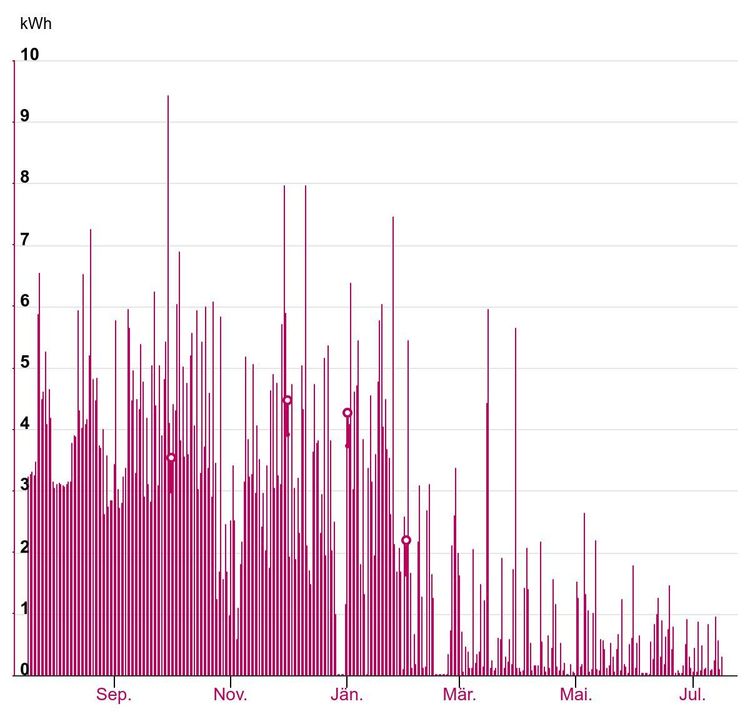
The question that many people ultimately ask themselves is: Is a balcony power plant really worth it? After almost nine months of use, I can answer that question with a clear yes. Admittedly, with a south-facing orientation, little shade, and enough space, I am privileged in this regard. Anyone who can find space for at least two larger panels can cover a good portion of their basic consumption, especially in summer. On a nice July day, a single 500-watt panel, installed at a 60-degree angle, generates about 2.6 kWh per day for me. In the colder months, the yield is lower, but on the few nice days, even in December, I still managed about 2 kWh per panel.
Until February, I used only two panels and one additional storage unit with the Anker Solarbank 3 Pro. Even then, I saved about ten euros per month through solar production. Since adding more panels, more storage, and benefiting from better weather in spring and summer, the average savings from March to June rose to around 35 euros per month.
The calculation assumes a fixed electricity rate of 17 cents per kWh, plus grid fees. These fees have jumped to 14 cents per kWh for the Vienna grid since January. If the total electricity price stays at 31 cents, annual savings of 350 euros would result in a maximum payback period of nine years. Should prices increase further, the return on investment would come even sooner.
The balcony power plant was installed at the end of October, the smart meter was added in December, and additional panels followed in January and February. Energy demand from the grid decreased significantly.
In practice, however, I’m already saving more money. By focusing on generating my own electricity, I develop a completely different awareness of my own electricity consumption. Who would have thought that a 40-degree wash cycle uses only half the electricity as an eco-mode cycle at 50 degrees? The same applies to the washing machine. Combined with PV generation, these simple savings measures have enabled me to save 40 percent of my electricity consumption in the winter with just two panels. In February and March, with more equipment, it was already over 70 percent, and since April it’s been 90 percent.
To be honest, I didn’t expect this to be the case, and it shows the potential of what’s possible today with a balcony power plant. Considering these savings and the ability to take advantage of dynamic electricity prices, the payback time in my case is closer to seven years. In retrospect, the system was a bit oversized, as my base consumption of 4 to 5 kWh is quite low. Anyone who generally uses more electricity will logically benefit from a larger battery and more PV power. Therefore, in the medium term, I’m considering switching from gas-based hot water generation to an electric boiler. Modern air conditioning units with heating functions are also suddenly an option.
Conclusion: Great system with even more potential
All in all, the Anker Solarbank 3 Pro is an excellent update to an already mature system. It’s also genuinely enjoyable to use. While the AI functionality still needs significant improvement, the hardware feels future-proof. That applies to both storage capacity and PV inputs.
However, the wide range of features may overwhelm some users. Submenus and complex settings could lead to confusion. Anker also needs to rethink its approach to data access. At the moment, users don’t have unrestricted access to their own data. Instead, they must rely entirely on the Anker cloud—which is simply unacceptable.
There’s a lot to look forward to with the upcoming Power Dock module. This add-on will raise the 800-watt cap and allow multiple Anker Solarbank 3 Pro units to function as a true PV system—assuming proper registration and compliant electrical installation. Some users have already managed to boost their unit’s output to 1200 watts, doing so at their own risk. Enabling the 0-watt feed-in to the public power grid creates a legal gray area in Austria. Without a thorough inspection of the electrical wiring by a qualified electrician, users could face serious hazards, including cable fires and potential loss of insurance coverage.
To ensure that the investment in a Solarbank 3 Pro is truly worthwhile, you should pay close attention to the price.
The abolition of the VAT exemption in Austria hits hard. The Anker Solarbank 3 Pro now carries a list price of €1,800, while the new extended battery costs €1,100. However, Anker and many other providers often undercut these prices. In ongoing discount campaigns, they frequently offer affordable complete packages. These bundles typically include two or four solar panels and a smart meter.
The Solarbank 3 Pro was recently available for sale in Austria for €1,250, and an extended battery for €850.
Those looking to save money and can do without the grid charging function in winter combined with a dynamic electricity tariff can also take a closer look at the previous model, the 2 Pro, which is perfectly adequate for most usage scenarios. However, for the lower price, you also get significantly less battery, which again reduces the price advantage. For existing 2 Pro owners, however, a switch is difficult to justify due to the investment costs. However, with last year’s model, they already own a balcony power station that, in practice, can absolutely keep up with its successor.